


Download YouChoob – Simple, Fast YouTube Video Downloader for Windows
Overview
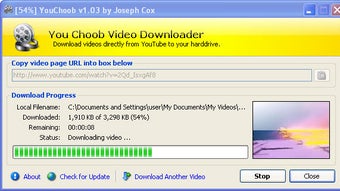
YouChoob is a lightweight Windows utility that focuses on one thing: downloading YouTube videos with as little friction as possible. In a market flooded with feature‑rich but often bloated download managers, YouChoob strips the experience back to the essentials. The user interface consists of a single window where you paste a YouTube URL, hit “Download,” and watch a progress bar move from gray to yellow to green.
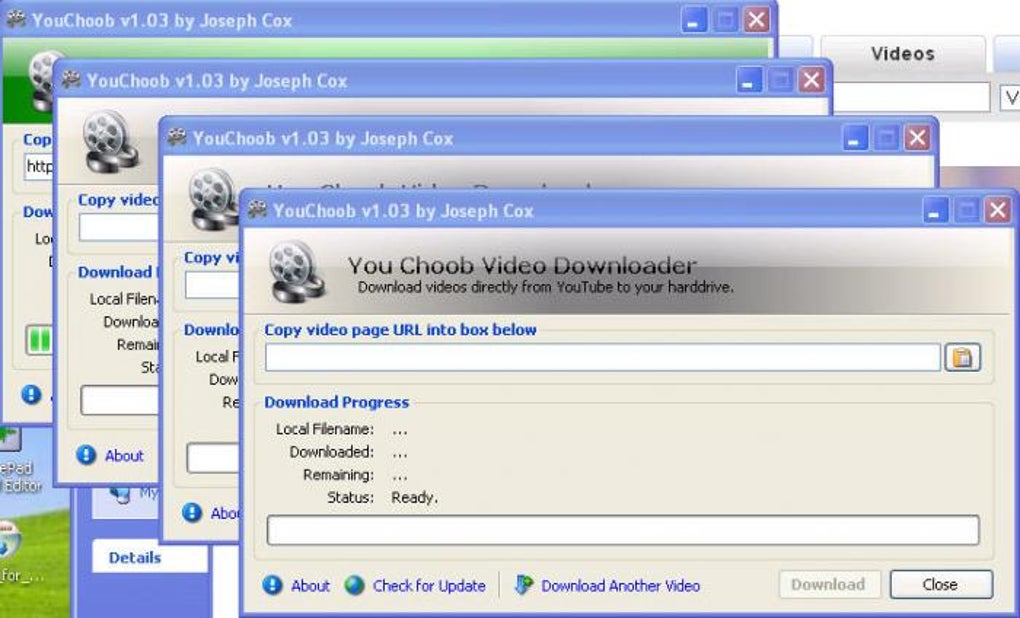
The app supports simultaneous downloads by opening multiple windows, though doing so can clutter the desktop. Files are saved in the FLV format, which, while not the most universal, is still playable in most modern media players or can be converted with a free converter. Recent updates added a “Delete Incomplete Downloads” option, a Donate button, a modest redesign, and a .NET 4 detection routine that alerts users if the required runtime is missing.
If you value speed, simplicity, and a free solution that does exactly what it says, YouChoob is worth a try.
Key Features
- One‑click download: paste the YouTube link, press download, and let the app handle the rest.
- Real‑time preview window showing video thumbnail and basic metadata.
- Clear progress indicator: gray (idle) → yellow (downloading) → green (complete).
- Multiple independent windows for parallel downloads.
- Automatic detection of missing .NET 4 runtime with friendly notification.
- Settings panel includes “Delete Incomplete Downloads” to keep your folder tidy.
- Built‑in Donate button for users who want to support continued development.
- Lightweight footprint: the installer is under 5 MB and runs on Windows 7, 8, 10, and 11.
While YouChoob does not boast advanced features like batch URL import, format conversion, or built‑in video editing, its streamlined approach reduces the learning curve dramatically. Users who simply need a reliable way to pull a video for offline viewing will find the limited feature set refreshing. The app also respects YouTube’s terms of service by only offering downloads for videos that are publicly accessible and not protected by DRM.
Installation & Usage Instructions
Installing YouChoob is straightforward. First, download the installer from the official website (the link is provided in the Download button at the top of this page). The installer is a standard Windows .exe file. Double‑click the file, and the wizard will guide you through the usual steps: accept the license agreement, choose an installation folder (the default works for most users), and click “Install.” If your system lacks the .NET 4 framework, YouChoob will display a prompt offering a direct download link to Microsoft’s installer – this is the only prerequisite.
After installation, launch YouChoob from the Start menu or desktop shortcut. The main window contains three primary elements: a text field for the URL, a “Download” button, and a progress bar. To begin, copy the YouTube video link you wish to save, paste it into the field, and click “Download.” The preview window will display the video thumbnail and title, confirming you have the correct link. The progress bar will turn yellow while the download is active; once the file reaches 100 %, the bar turns green and a small notification pops up.
For power users who need several videos at once, simply open additional YouChoob windows (File → New Window) and repeat the process. All downloads are saved in the Videos\YouChoob folder by default, but you can change the destination in Settings → Downloads. If a download is interrupted, you can either restart it or use the new “Delete Incomplete Downloads” button to clear the partially saved file before trying again.
Because YouChoob saves videos in the FLV container, you may want to convert them to MP4 for broader compatibility. Free tools such as HandBrake or VLC Media Player can perform this conversion in a few clicks. The conversion step is optional; many modern browsers and media players still support FLV playback directly.
Pros, Cons, and Frequently Asked Questions
Pros
- Extremely simple interface – no confusing settings or menus.
- Fast download speed; the app uses direct HTTP streams without extra processing.
- Light on system resources; can run alongside other applications without lag.
- Free to use with an optional donation button for supporters.
- Supports simultaneous downloads through multiple windows.
Cons
- Only saves videos in FLV format, requiring conversion for some users.
- Lacks batch download or playlist import capabilities.
- No built‑in video converter or editor.
- Desktop can become cluttered if many windows are opened at once.
- Windows‑only; no native macOS, Android, or iOS versions.
FAQ
Is YouChoob safe to download and install?
Yes. The official installer is signed and distributed from a secure HTTPS site. During installation the app checks for the required .NET 4 runtime and warns you if it is missing, preventing incomplete setups.
Can I download videos in MP4 or other formats?
YouChoob only outputs FLV files. To obtain MP4, use a free converter like HandBrake after the download finishes.
Does YouChoob work with private or age‑restricted videos?
No. The tool can only download videos that are publicly accessible without authentication. Private or age‑restricted content requires a logged‑in browser session, which YouChoob does not emulate.
How many videos can I download at the same time?
Technically unlimited, as each download runs in its own window. Practically, you should limit simultaneous downloads to avoid saturating your internet bandwidth and cluttering the desktop.
Is there a way to update YouChoob automatically?
YouChoob does not include an auto‑update feature. Visit the official website periodically to download the latest version, which is released with minor bug fixes and security patches.
Conclusion & Call to Action
For users who need a no‑nonsense solution to grab a single YouTube video quickly, YouChoob delivers exactly that. Its minimalistic design eliminates the decision fatigue that can accompany feature‑heavy download managers, while the progress indicators keep you informed at every step. Although the FLV output and lack of batch processing may be limiting for power users, the app’s free price tag, tiny installer size, and low system impact make it a solid choice for occasional downloads.
If you value speed, a clean interface, and a tool that does one thing well, click the button below to download YouChoob now. Remember to keep your .NET 4 framework up to date for optimal performance, and consider supporting the developer through the built‑in Donate button if the app meets your needs.
YouChoob excels at delivering a straightforward downloading experience. The interface is intuitive, the download speed is impressive, and the app stays out of the way once the job is done. The primary drawback is the FLV-only output, which forces an extra conversion step for users who prefer MP4. Overall, it earns a solid 4 out of 5 stars for simplicity and reliability.
- Simple UI, fast downloads, lightweight, free
- FLV only, no batch download, Windows‑only







